Read, think, write — every cycle
An SMFlow flow does not run on events, interrupts, or threads. It runs on a fixedscan cycle: snapshot every input, evaluate the whole graph in a deterministic order, then commit every output at once — and repeat, on a period you set. If you have written ladder logic or a bare-metal super-loop, this is the model you already know.
Read
Snapshot every input, once.
At the top of each cycle every input is sampled together into one snapshot. Your logic reads that snapshot and nothing else, so two parts of the program can never disagree about what the world looked like this tick.
Execute
Run the graph in a fixed order.
The nodes evaluate in the same validated order every single scan. Given the same input snapshot and retained state, the flow is a pure function — the output is always the same, which is exactly why it is testable and reproducible.
Write
Commit every output, once.
Outputs are written all at once, after the logic has finished — never mid-scan. Nothing actuates while the program is still deciding, so a relay or a PWM channel only ever sees a settled, consistent result.
You already know this model
This is the PLC model. IEC 61131-3 controllers have worked this way for decades, and it is what control and embedded engineers expect. SMFlow does not reinvent it — it compiles your graph into an ordinary C++ scan loop that follows the same read-execute-write discipline, with no interpreter and no runtime on the device.
- Deterministic order. Every scan evaluates the same nodes in the same validated order — no race between two branches, ever.
- Snapshot and commit. One read at the start and one write at the end mean no part of the logic ever sees an input change underneath it.
- Simulator equals target. Because a flow is a pure function of its snapshot, it behaves identically on your desktop and on the board.
- No hidden concurrency. No interrupts, threads, or async inside the control graph — the behaviour on the wire is the behaviour you see.
What a flow actually looks like
A real program, the hardware behind it, and the C++ it turns into. No slideware — these are screenshots of the editor doing the work.
A whole program, on one canvas
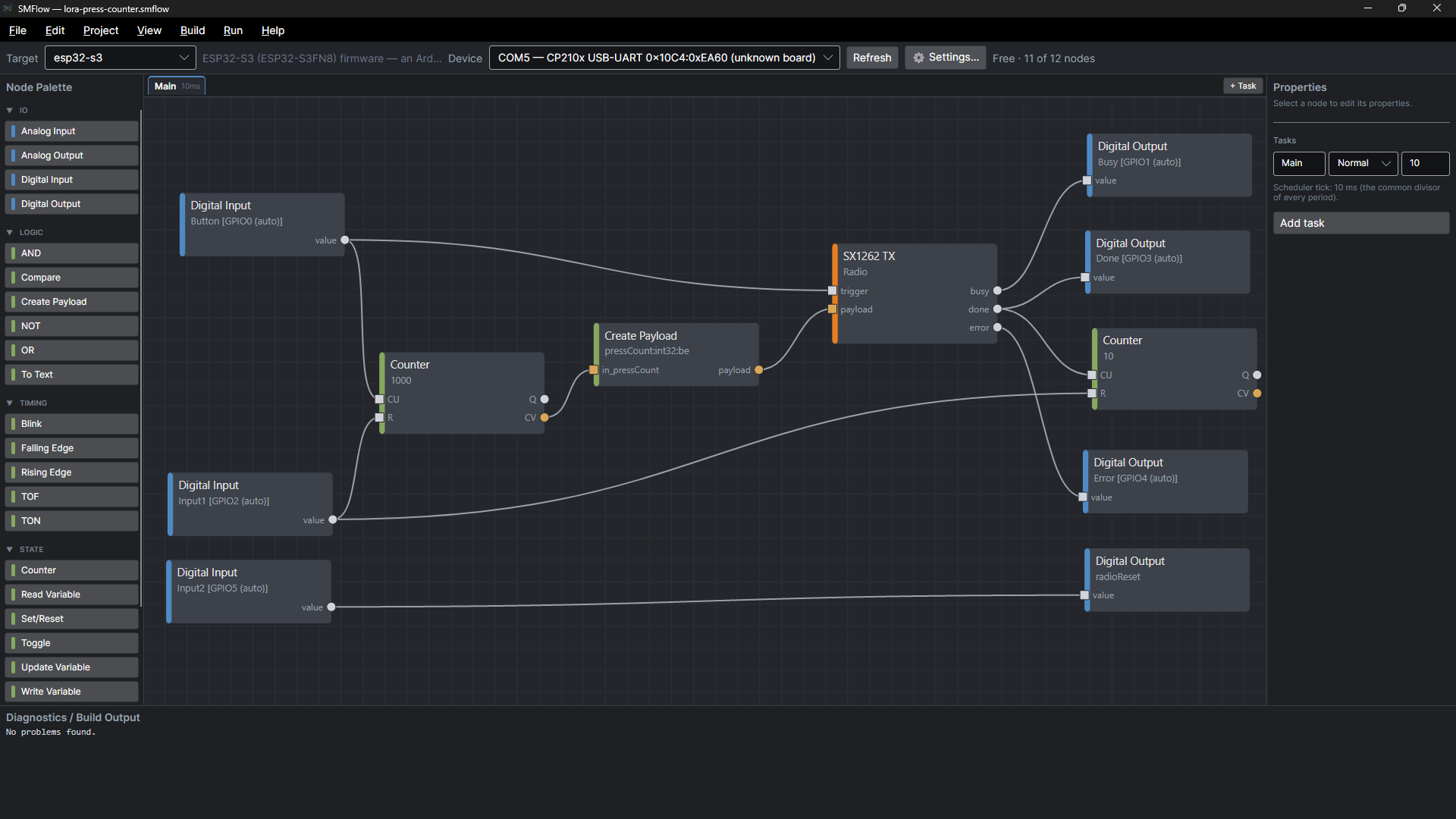
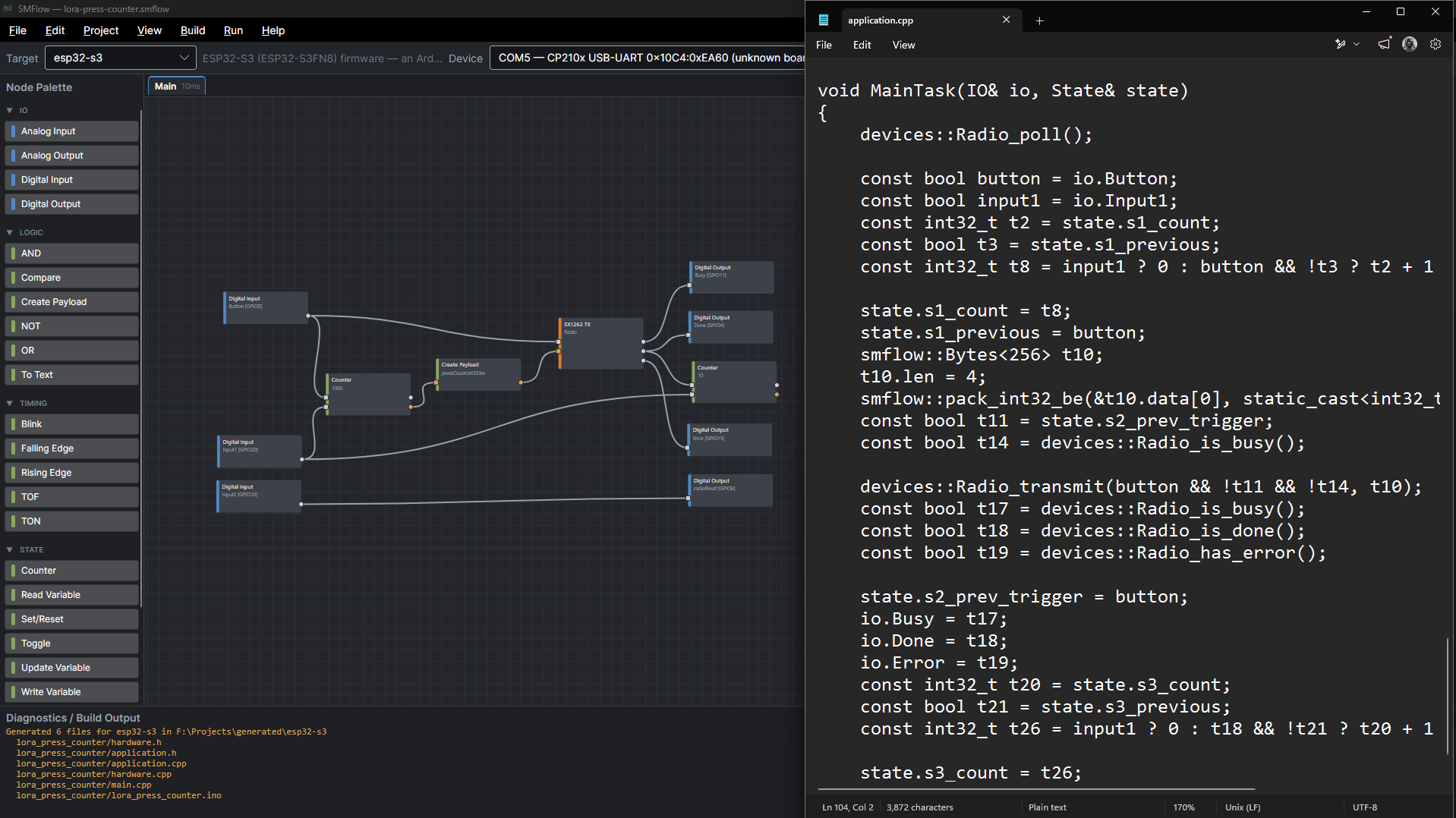
This flow sends a number over LoRa. Press the button and the device counts the press, packs the running total into a four-byte payload, and hands it to the radio. Three LEDs mirror what the radio is doing — busy, done, error — and a second button resets the count. That is the entire program: no source code, one 10 ms task, and nothing hidden behind a node.
It stays readable when it grows
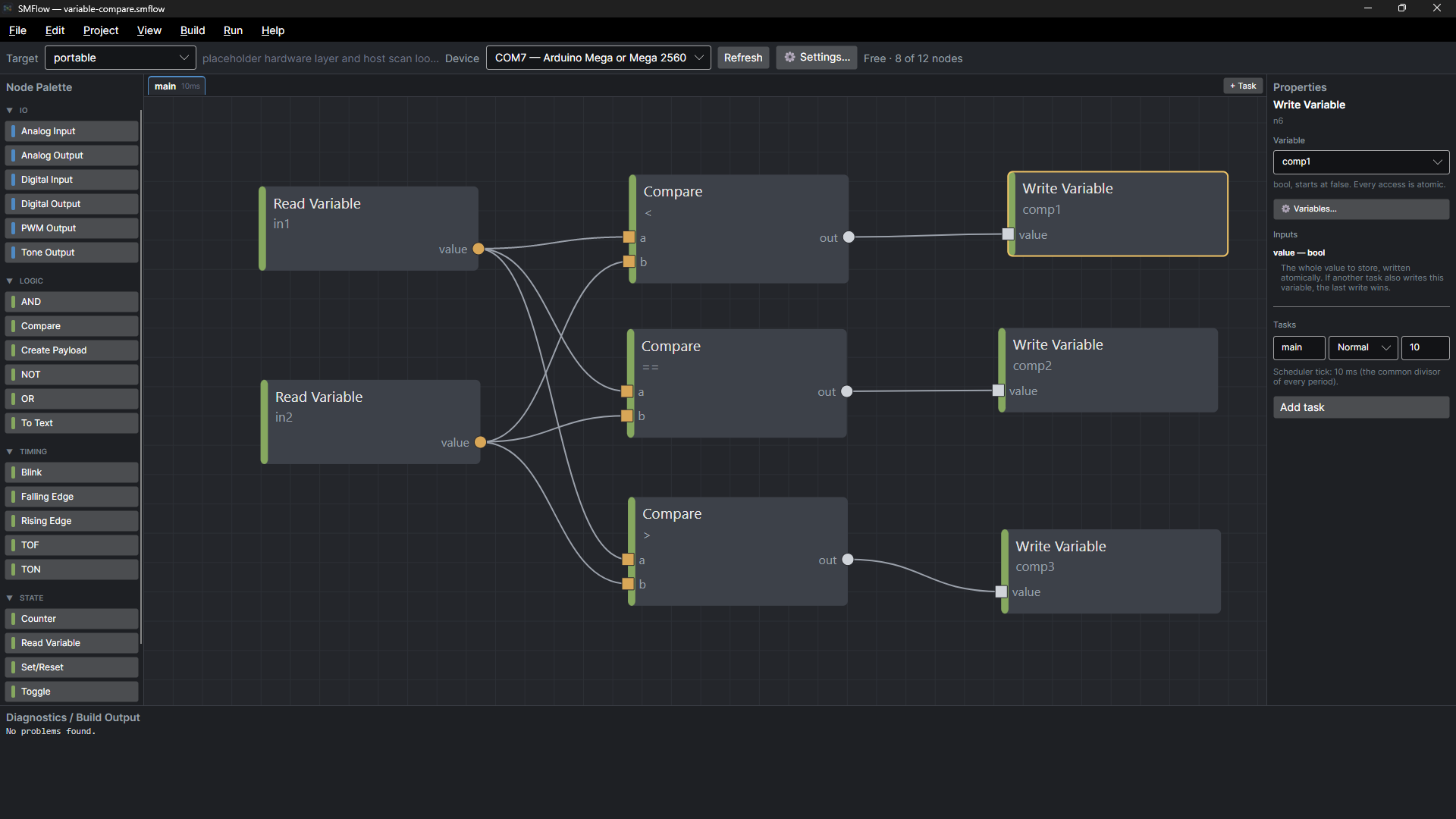
Values do not have to travel down a wire. A named variable is written in one place and read wherever it is needed, so a flow that spans several tasks does not turn into a canvas full of crossing lines. Every access is atomic and the last write wins — the rules are stated on the node, not buried in a manual.
main · 10 ms — the scheduler tick is the common divisor of every task period.
Your pins, not ours
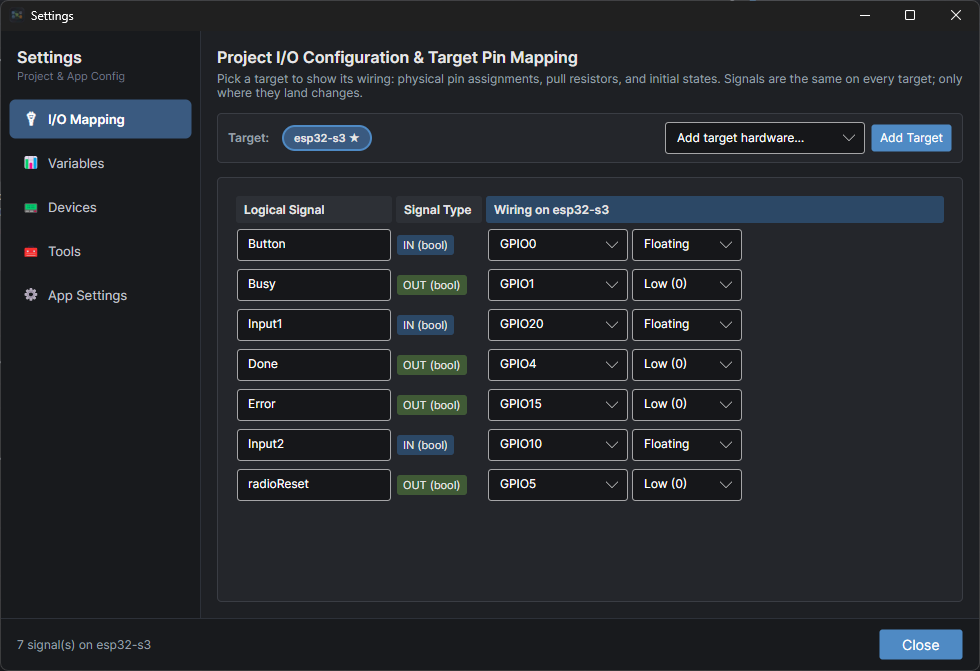
Nodes do not hard-code pins. You choose the target board and map each input and output to a pin, and the same flow retargets to different hardware without rewiring the graph. Change the board, rebuild, flash — the logic is untouched.
The code it becomes
This is what the flow above compiles to: ordinary C++17 you could hand to a firmware engineer without explaining where it came from. No interpreter ships to the device and nothing from SMFlow runs on it — the artifact is a native binary and the source is yours. The same project always generates byte-identical code.
No Node, Graph, ExecuteNode, Runtime, Interpreter or ScriptEngine — anywhere.
Run it before you flash it
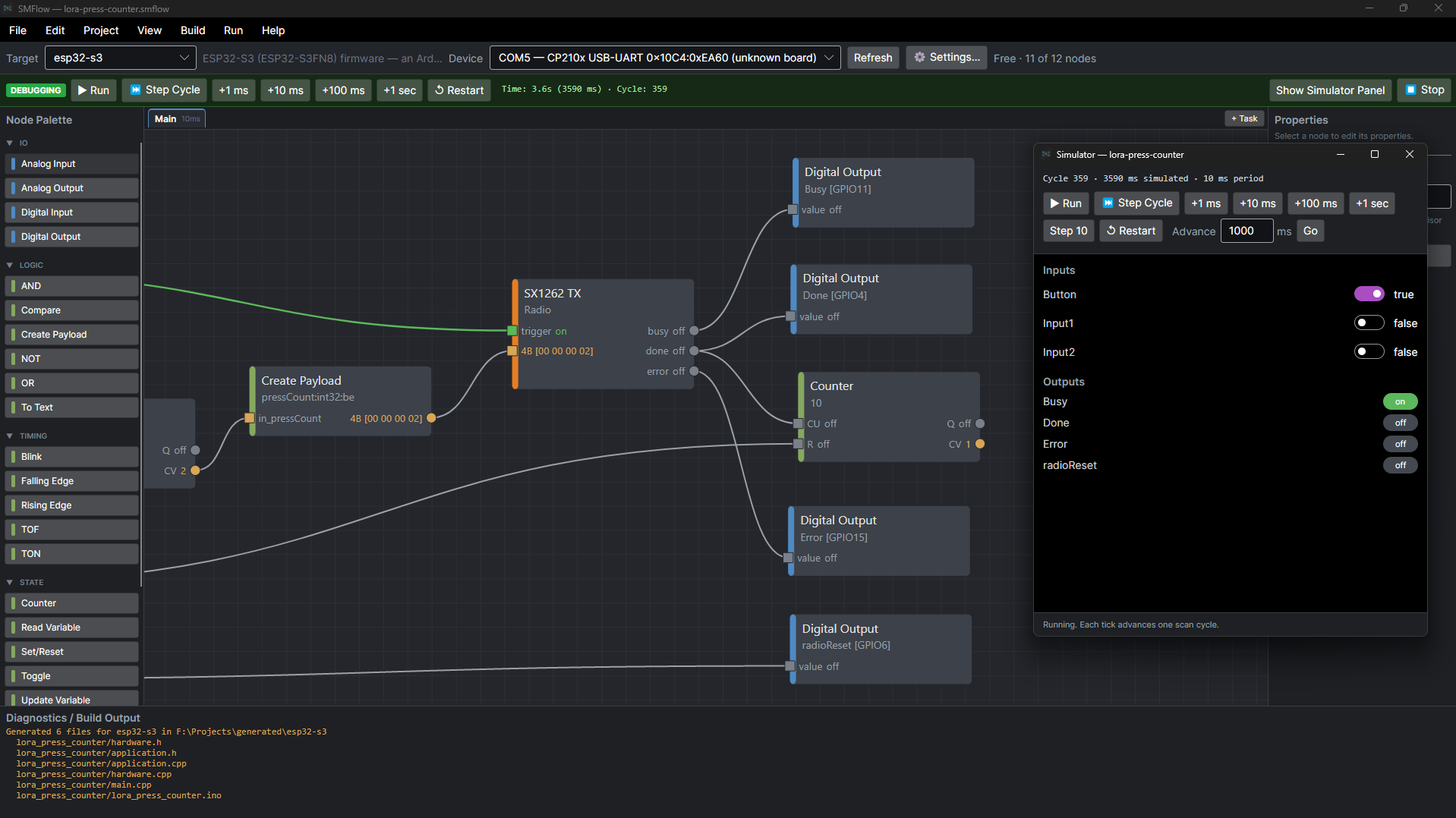
The desktop simulator runs the same flow with no hardware involved. Values update on the wires each scan, so you can watch a counter tick and an interlock latch on the bench before a board is wired — or before one exists.
It refuses to build something wrong
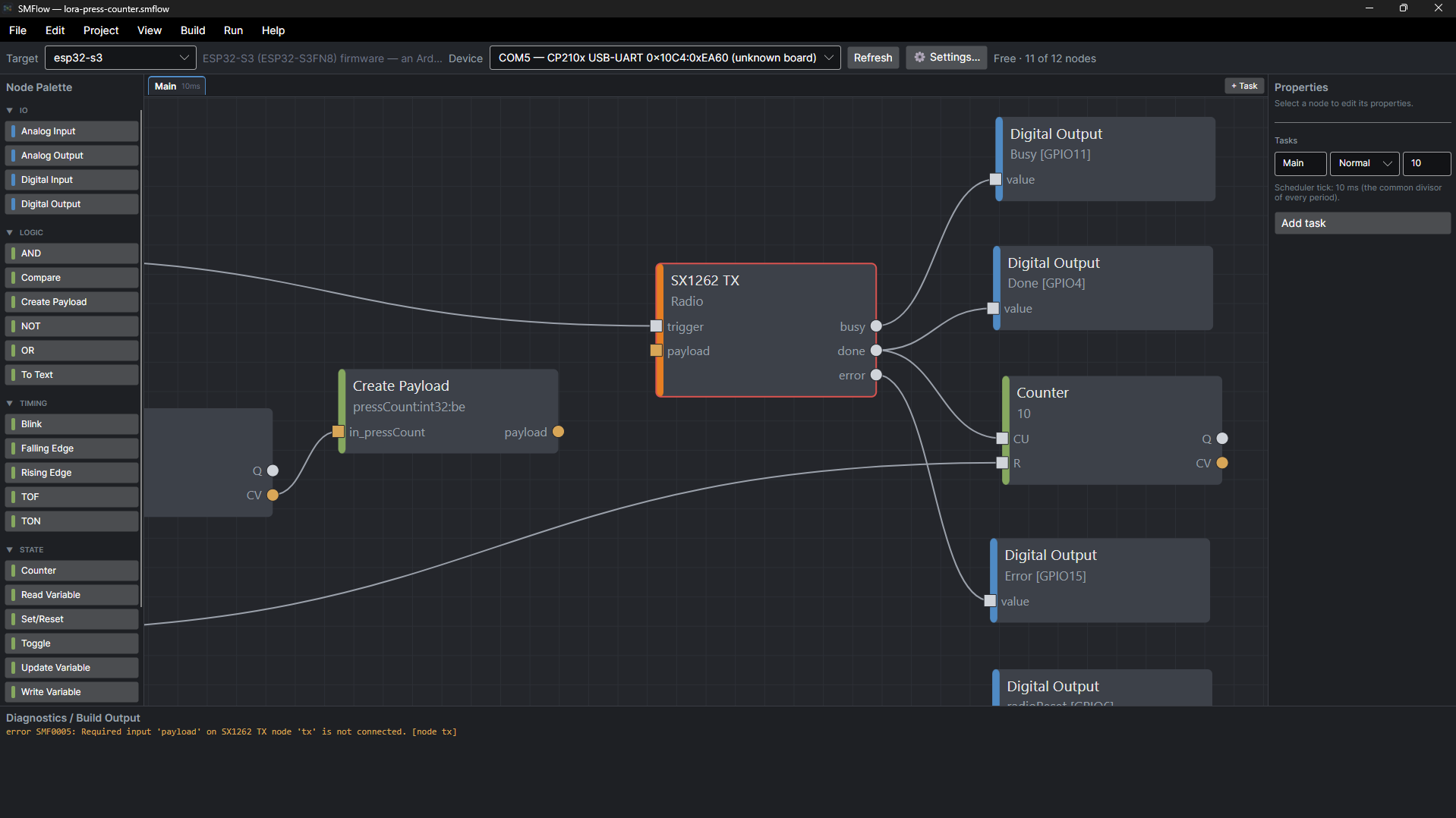
Invalid connections are errors, not guesses. SMFlow will not quietly insert a conversion to make two mismatched ports fit, and it will not generate code from a graph that does not validate. You find out at the desk, not at the machine.
A display is a device, not a pile of pin writes
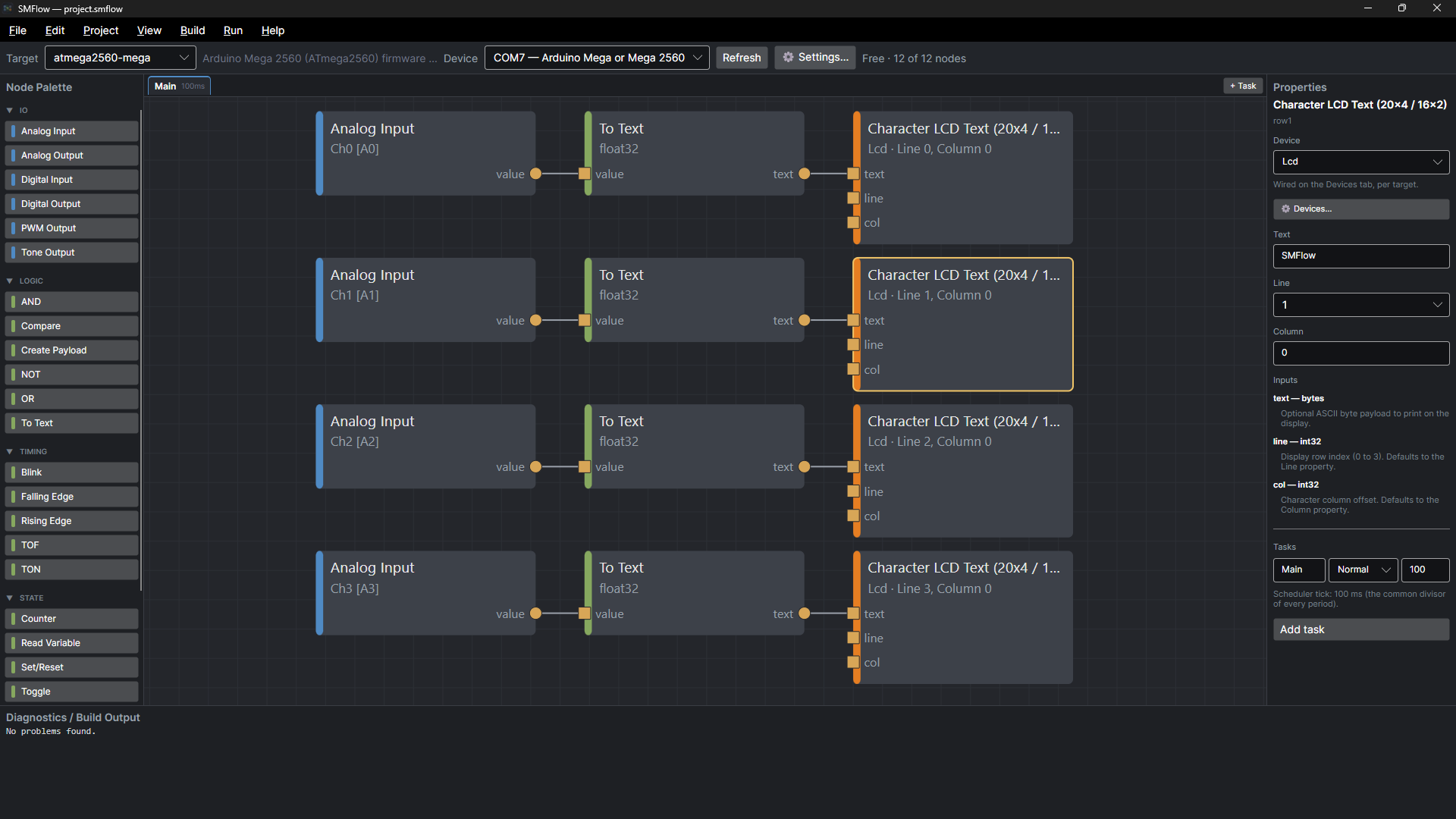
Four analog channels, converted to text, printed to four rows of a character LCD on a real Mega 2560. The flow addresses the display by name and role — this line, this column — and where it is actually wired lives on the Devices tab, per target. Swap the board or move the pins and none of these nodes change.
Real peripherals, modelled properly
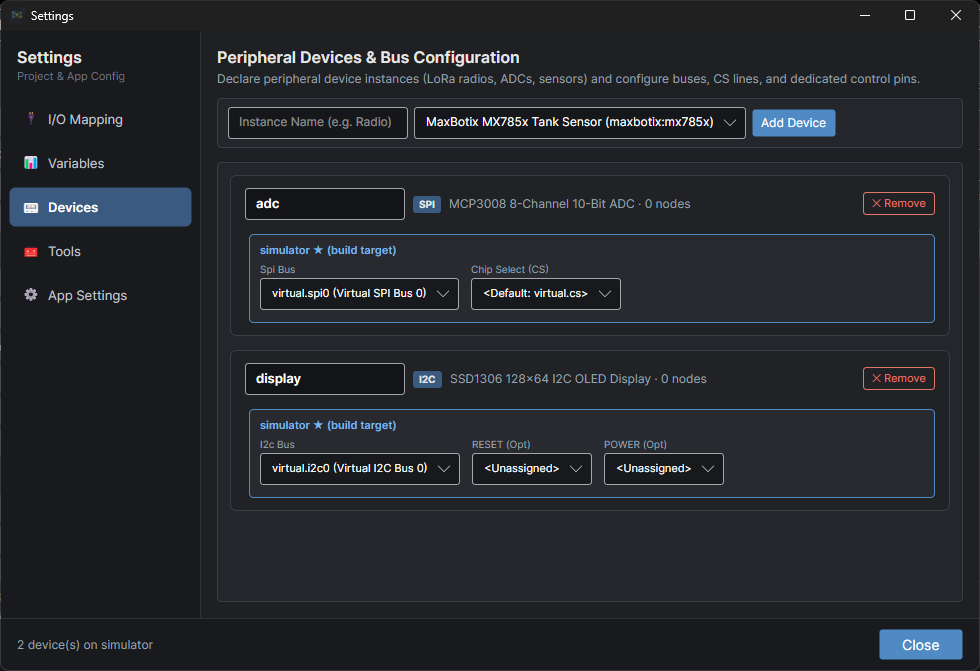
Devices are nodes with real ports — a radio, a display, a range finder — not raw register writes you have to get right yourself. Drivers compile into your firmware like anything else, and the buses they sit on are part of the hardware profile.
Build one yourself
The Free edition is the same compiler, the same simulator, and the same hardware targets, capped at 12 nodes per flow. Everything you build on it keeps working if you upgrade.